
How to Change Your Name in Free Fire (Stylish Name, Space & Symbols)
Want a new Free Fire name? This guide shows how to change name in Free Fire and Free Fire MAX, how to make it stylish with symbols, how to add a space – and what to do when the game says the name is not allowed.
Quick answer – how to change name in Free Fire: tap your profile in the lobby, tap the pencil icon next to your name, type the new name and confirm. The game shows the cost (Name Change Card or diamonds) before you confirm, and the new name is used in Free Fire MAX too.
In this post: Steps · Stylish name · Space in name · Errors · Tips
How to change name in Free Fire (step by step)
- Open Free Fire (or Free Fire MAX – both use the same account and name).
- Tap your profile picture / banner in the top-left corner of the lobby.
- Tap the edit (pencil) icon next to your current name.
- Type or paste your new name.
- Confirm. A name change uses a Name Change Card or diamonds – the game shows the cost before you confirm.
Free Fire and Free Fire MAX share one account, so changing your name in one changes it in both.
Free Fire name style generator
Type your name – the Free Fire styles add 亗, ꧁꧂ and other symbols. Tap Copy. The fancy letters are Unicode characters (see the Unicode Consortium), so they paste as normal text in any app.
How to get a stylish name with symbols
- Type your name in the tool below.
- Open the 🔥 Free Fire tab and pick a style.
- Tap Copy, then paste it in the name field in step 4.
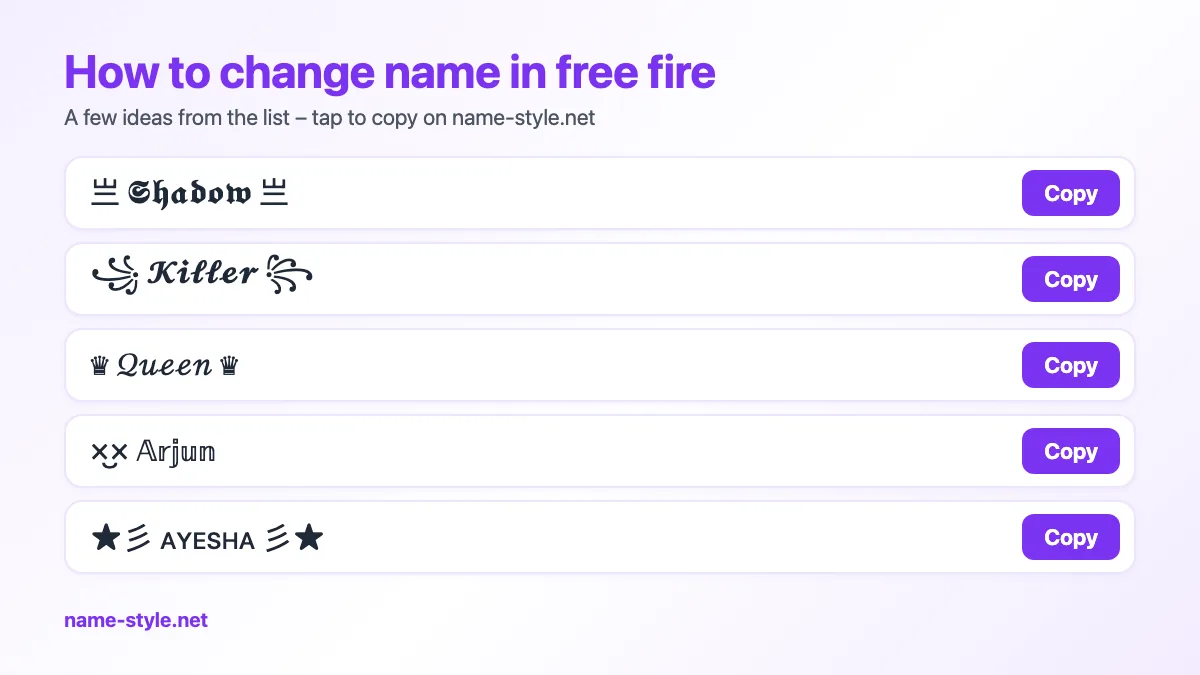
Popular Free Fire names – tap to copy:
- 亗 𝕾𝖍𝖆𝖉𝖔𝖜 亗
- ꧁ 𝓚𝓲𝓵𝓵𝓮𝓻 ꧂
- ♛ 𝒬𝓊ℯℯ𝓃 ♛
- ×͜× 𝔸𝕣𝕛𝕦𝕟
- ★彡 ᴀʏᴇsʜᴀ 彡★
- ☠ 𝕷𝖊𝖌𝖊𝖓𝖉 ☠
How to put a space in your Free Fire name
A normal space often does not work. Many players use the invisible character ㅤ instead. Copy one of these and change the words:
- SilentㅤKiller
- RahulㅤKing
- QueenㅤAyesha
More blank characters and an empty-name trick: invisible name.
“Name not allowed” or name shows boxes – fixes
| Problem | Fix |
|---|---|
| Name is too long | Remove a symbol or use a shorter word – every symbol counts as a character. |
| Name not allowed | The game blocks some characters and words. Try a different symbol or style. |
| Name already taken | Add a symbol, a number like ⁰⁰⁷ or a small tag like ᴳᵒᵈ. |
| Boxes (□) in the name | Your phone (or the game) has no font for that character – other players may see boxes too. Pick a simpler style. |
| Space disappears | Use the invisible character ㅤ instead of a normal space. |
Tips before you pay for a name change
- Paste the name in a notes app first and check that every symbol shows correctly.
- One or two symbols look cleaner than five.
- Keep a part of your name readable so friends can find you.
- Look for a Name Change Card in events and rewards before you spend diamonds.
Frequently asked questions
How to change name in Free Fire?
Tap your profile in the lobby, tap the edit icon next to your name, enter the new name and confirm. The game shows the cost first.
Can I change my Free Fire name without diamonds?
Only with a Name Change Card, which sometimes comes from events or rewards. Otherwise the change costs diamonds.
Is the name the same in Free Fire MAX?
Yes. Both versions use the same account, so the name changes in both.
How do I put a space in my Free Fire name?
Use the invisible character ㅤ instead of a normal space.
Why does my stylish name show boxes?
The phone does not have that character. Choose a more common symbol.